Sharper Analytics, Expanded Manufacturer Support, and a Redesigned UI in SkyGIS
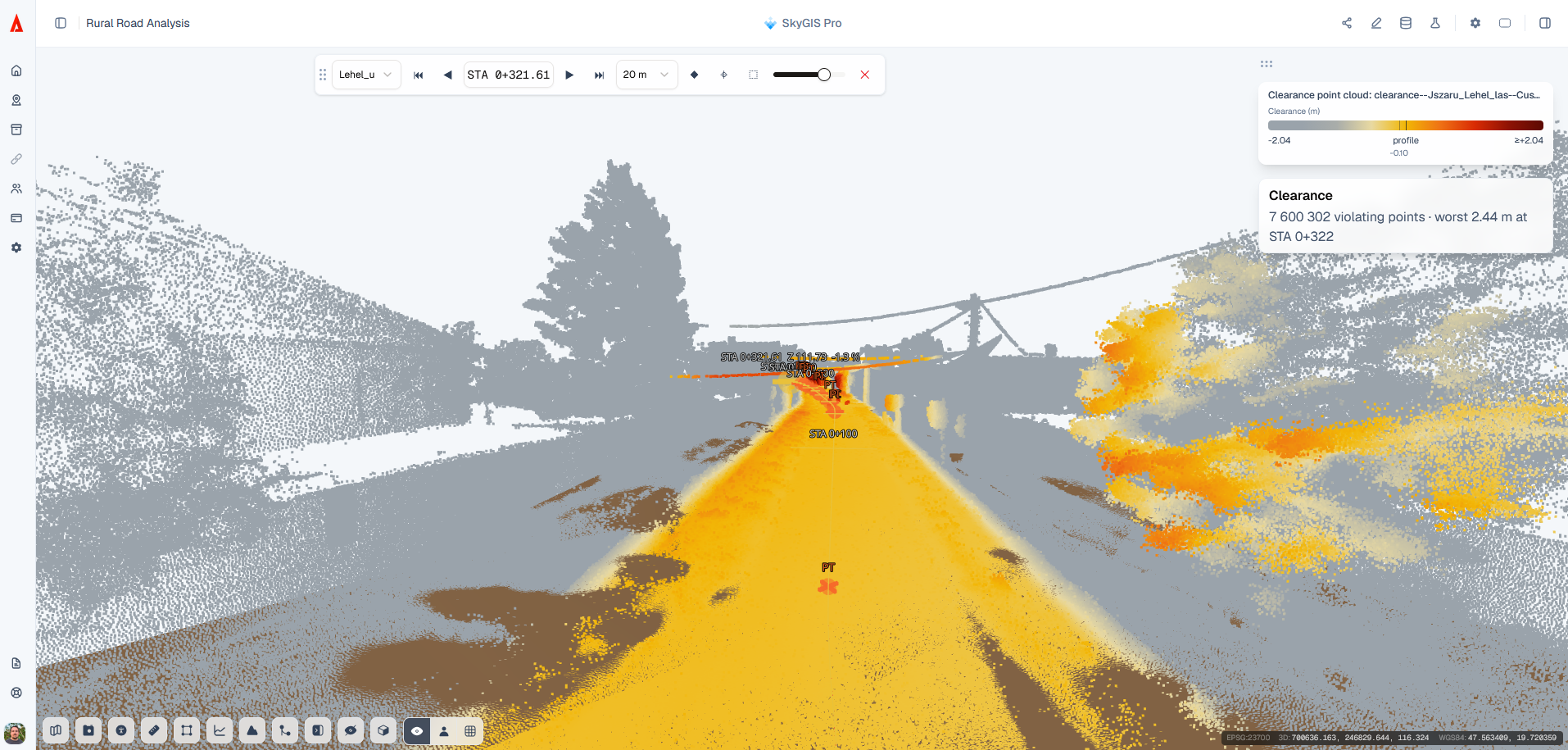
We are continuously evolving SkyGIS Viewer and Pro to enhance performance and provide a smoother, more efficient user experience. Our latest release introduces key functional improvements and a comprehensive interface redesign that delivers a modern, cleaner workspace for your spatial analysis. Here’s a closer look at what’s new.
Enhanced UI
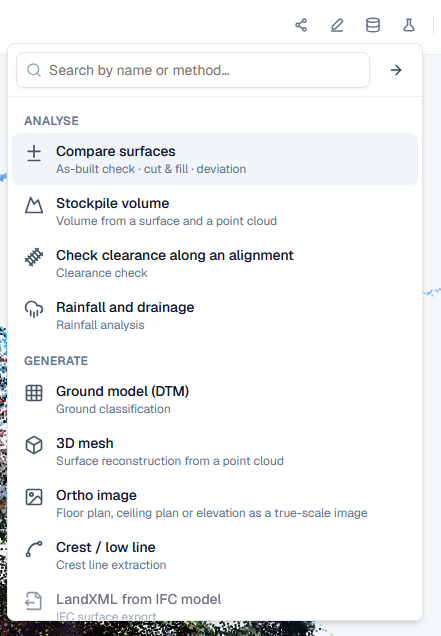
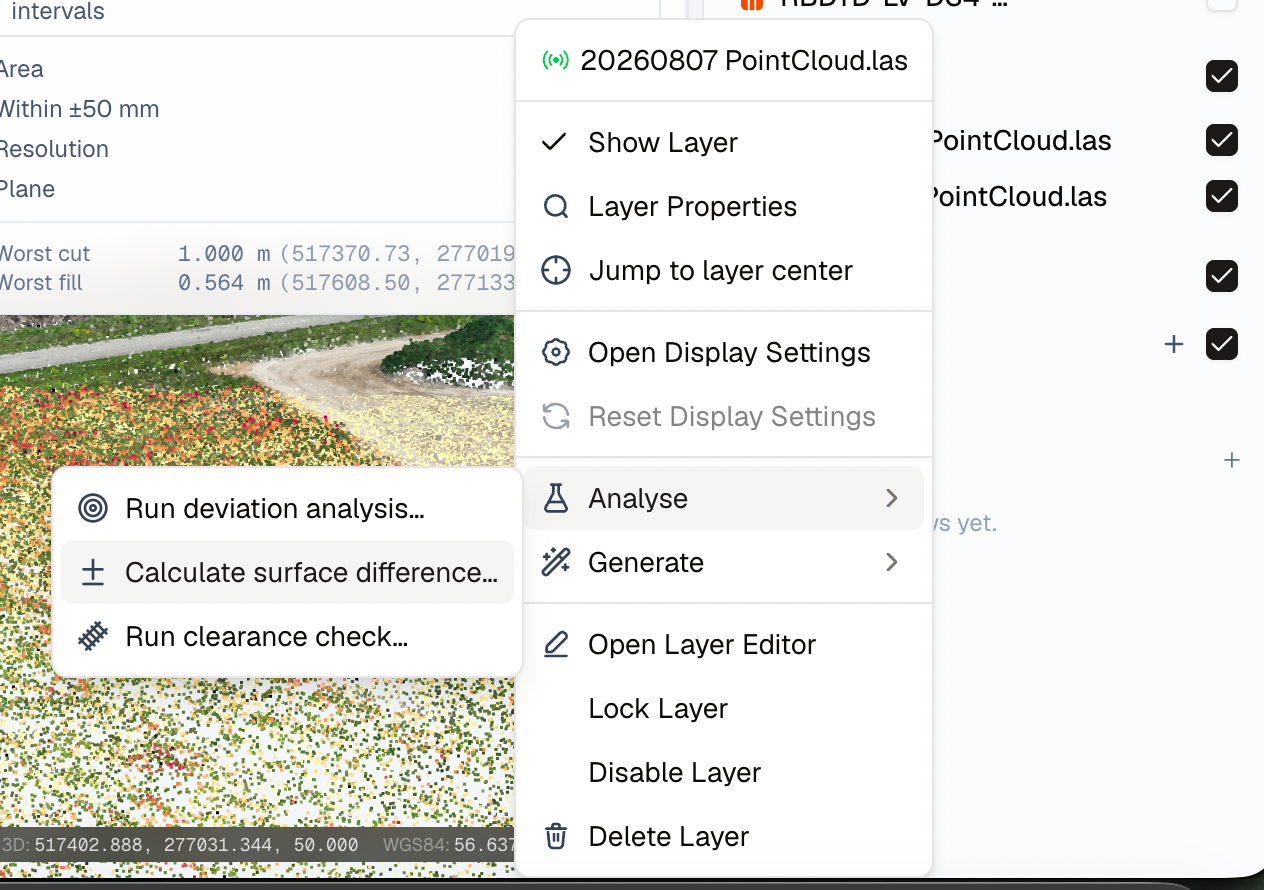
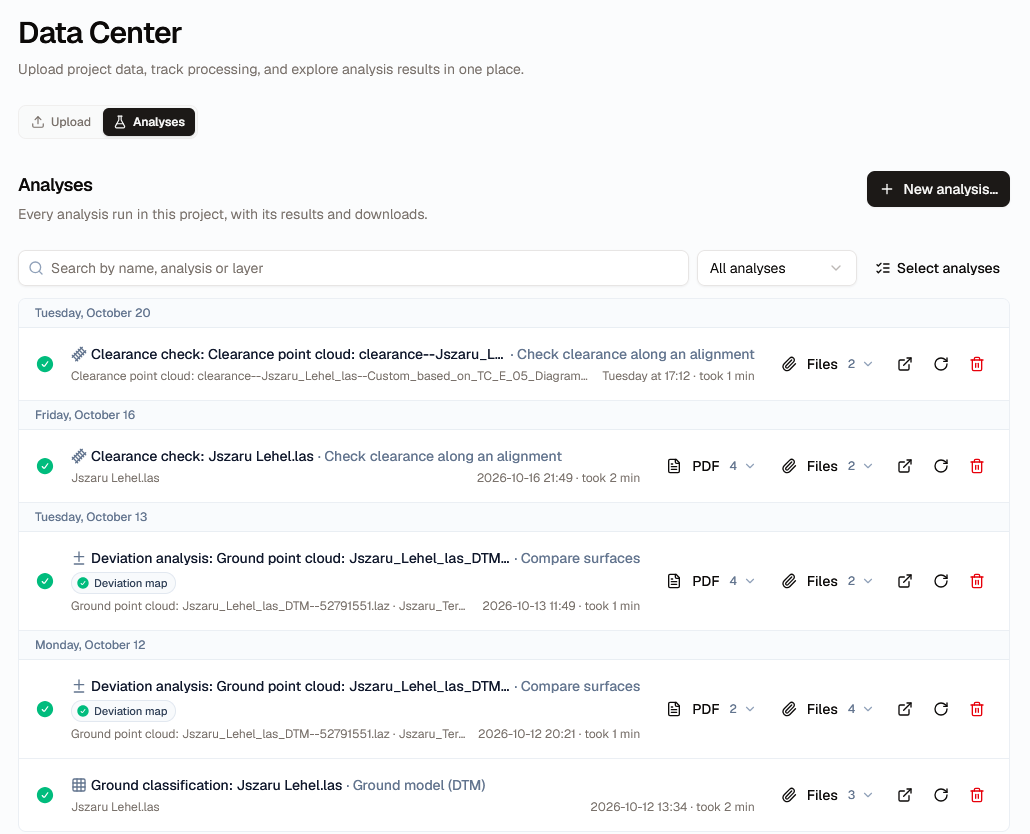
As SkyGIS Pro continues to expand its analytical capabilities, we took this opportunity to elevate the interface across both Pro and Viewer to keep your workspace efficient and uncluttered. While the Data Center, context menus, and iconography have received a polished refresh across both applications, SkyGIS Pro introduces a dedicated panel for Analysis tools—making configuring and launching workflows far more intuitive. Results are seamlessly accessible directly from both the Layer Panel and the Data Center, delivering a smoother, more unified experience throughout the platform.
Clearance Toolkit
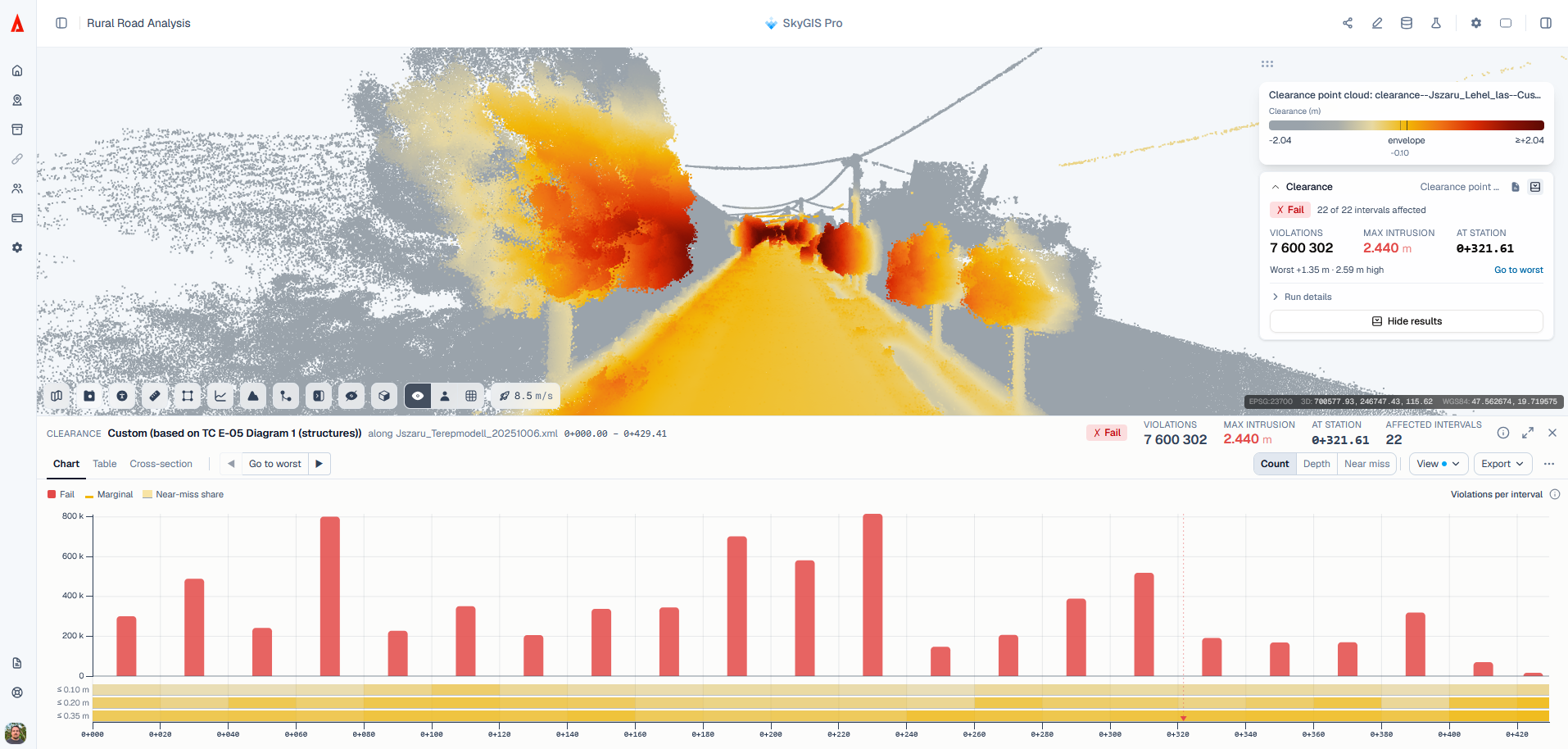
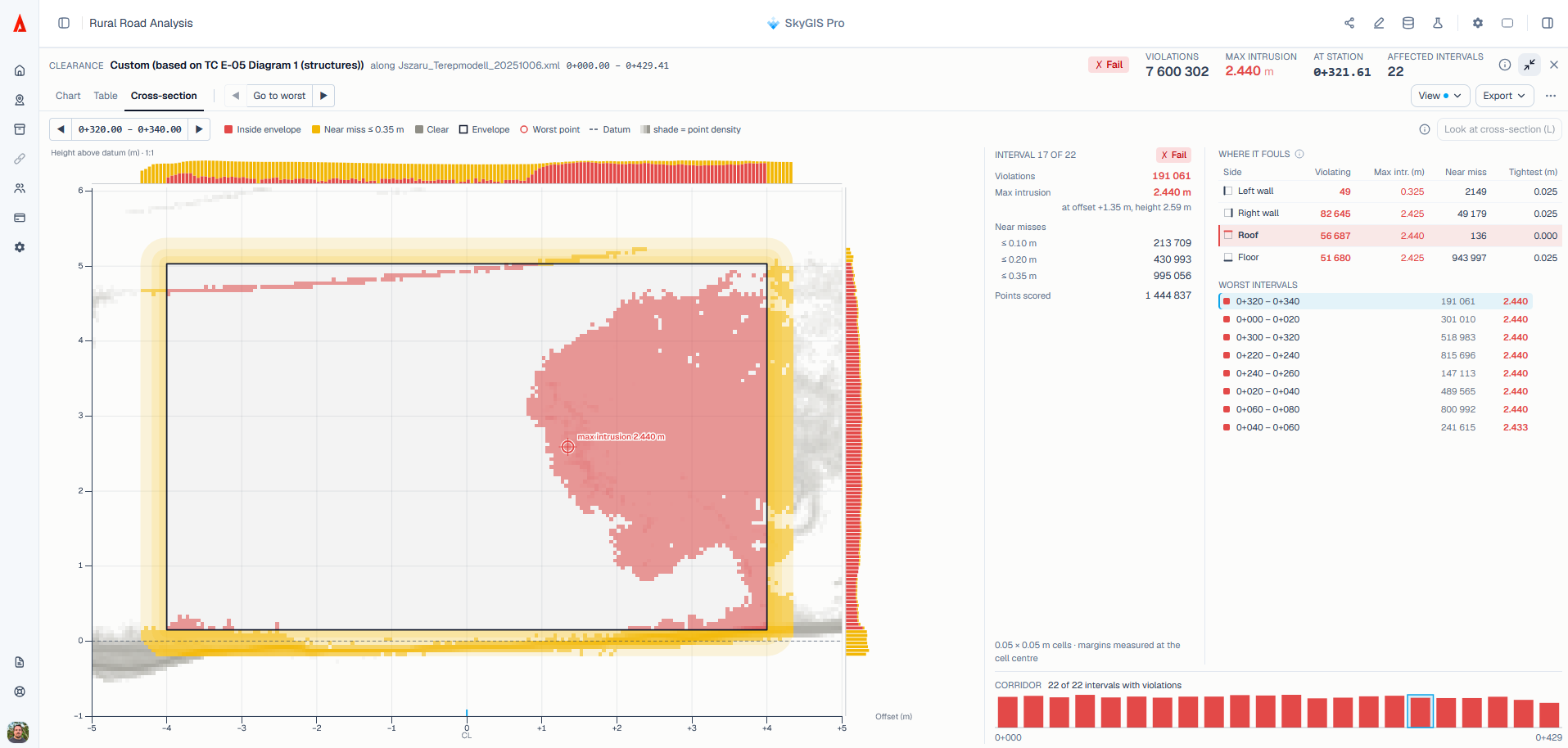
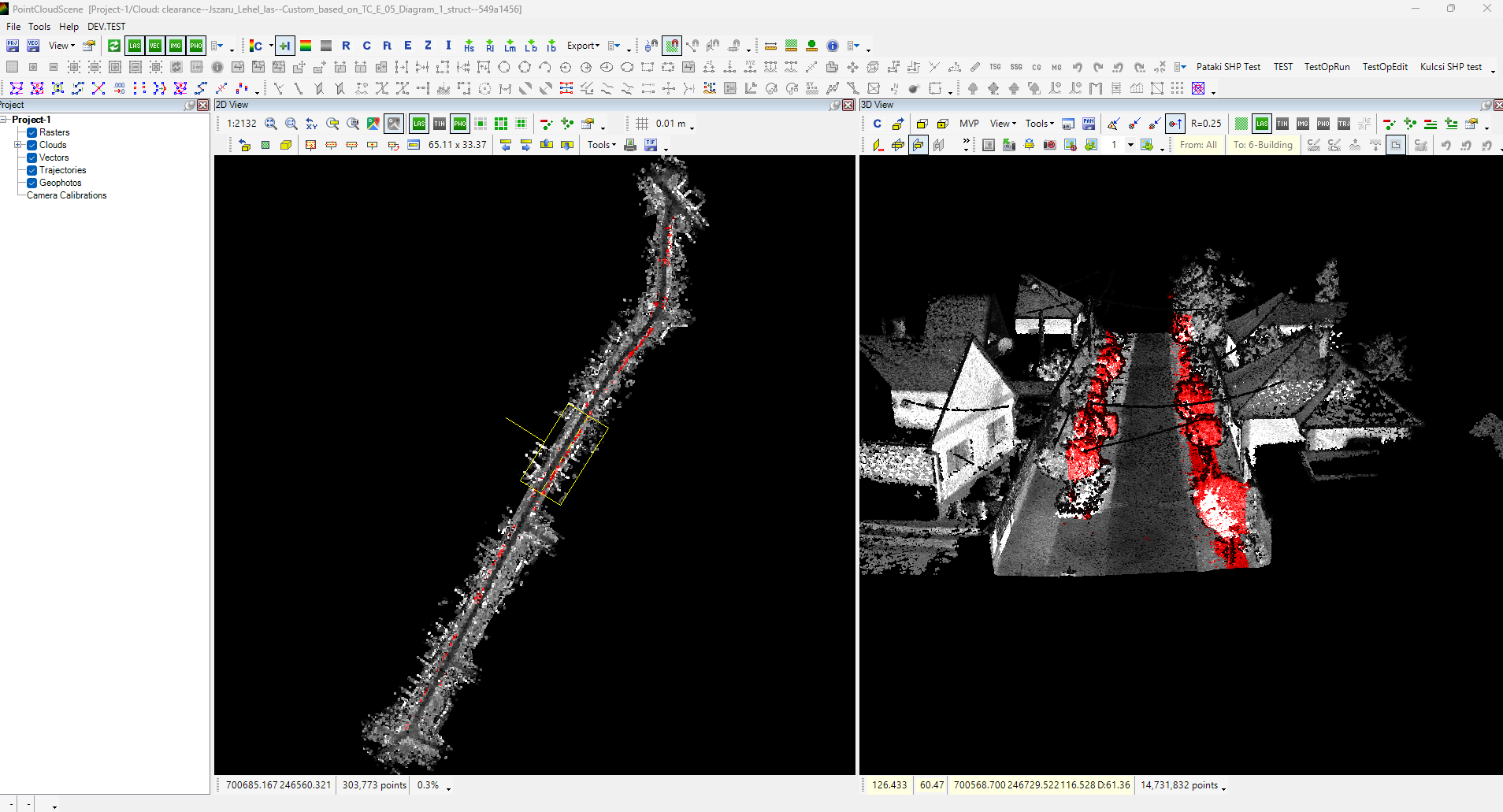
We are pleased to introduce the initial release of the Clearance Toolkit for SkyGIS Pro, designed to streamline spatial clearance analysis directly within your point cloud data. By defining a 3D axis or alignment, users can efficiently detect clearance encroachments using either standard clearance envelopes or fully customized tolerance thresholds. Results are delivered through intuitive, comprehensive reports and pre-classified point clouds, ensuring seamless interoperability with downstream CAD and GIS software. Experience faster, more reliable clearance verification today.
Even more supported brands!
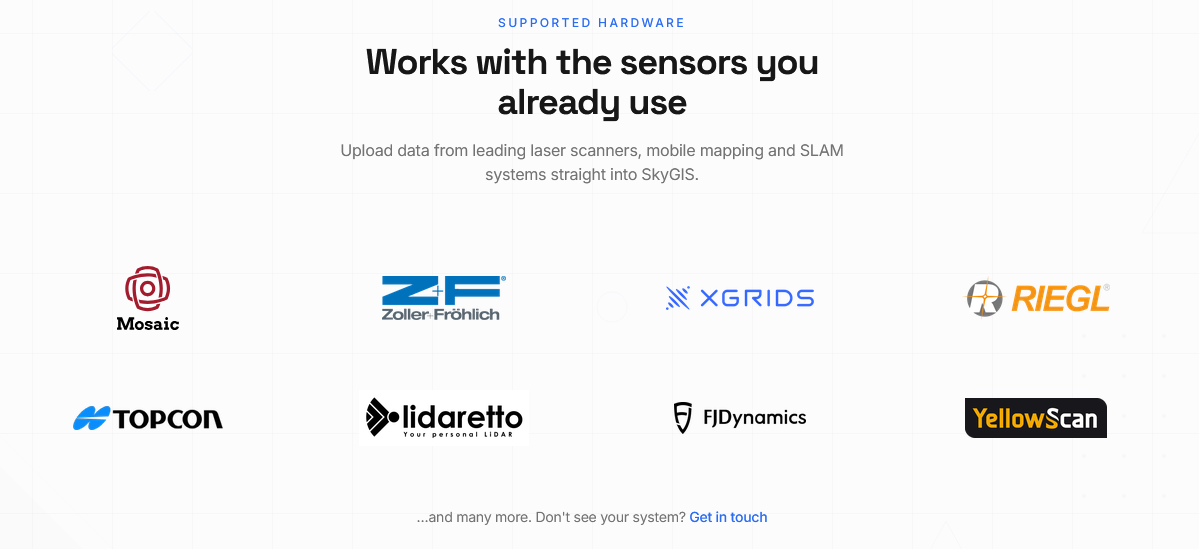
Interoperability is a top priority at SkyGIS. In this update, we have broadened our support for both standard and manufacturer-specific panoramic image formats, including native E57 panoramic support.
We’ve also launched a dedicated partner banner at skygis.cloud highlighting our verified brand integrations. If your specific hardware isn't featured yet, rest assured that our ecosystem is constantly evolving—feel free to reach out, as compatibility may already be available.
Enhanced Road and Railway toolkit
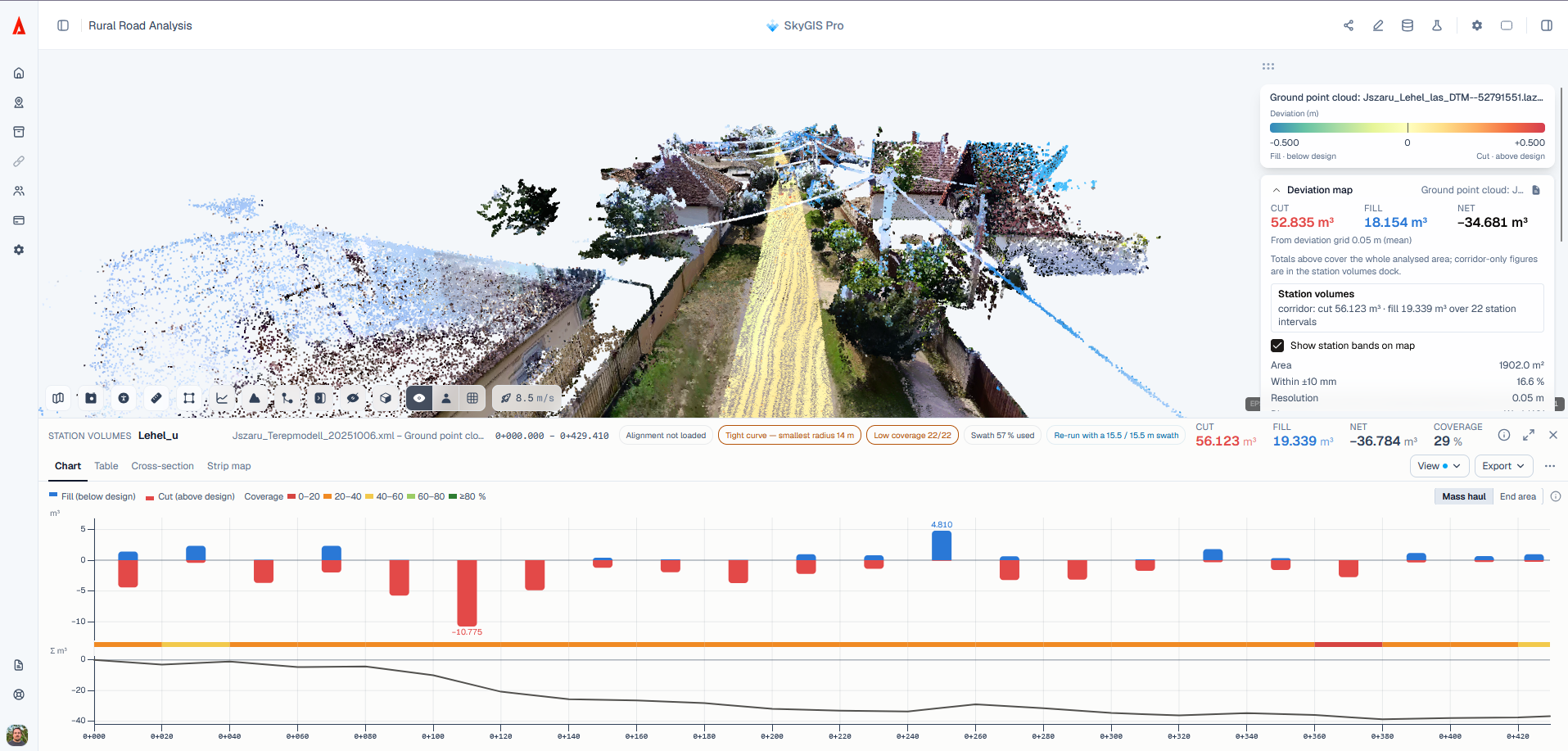
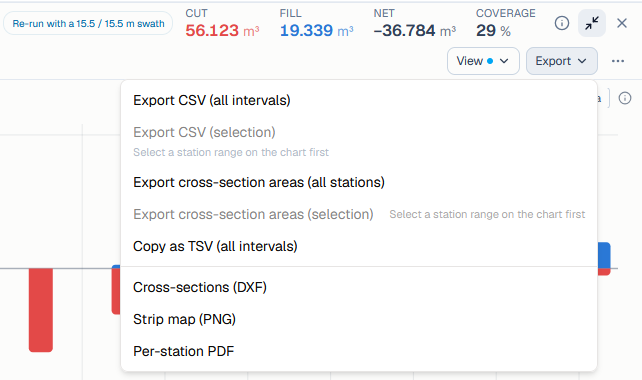
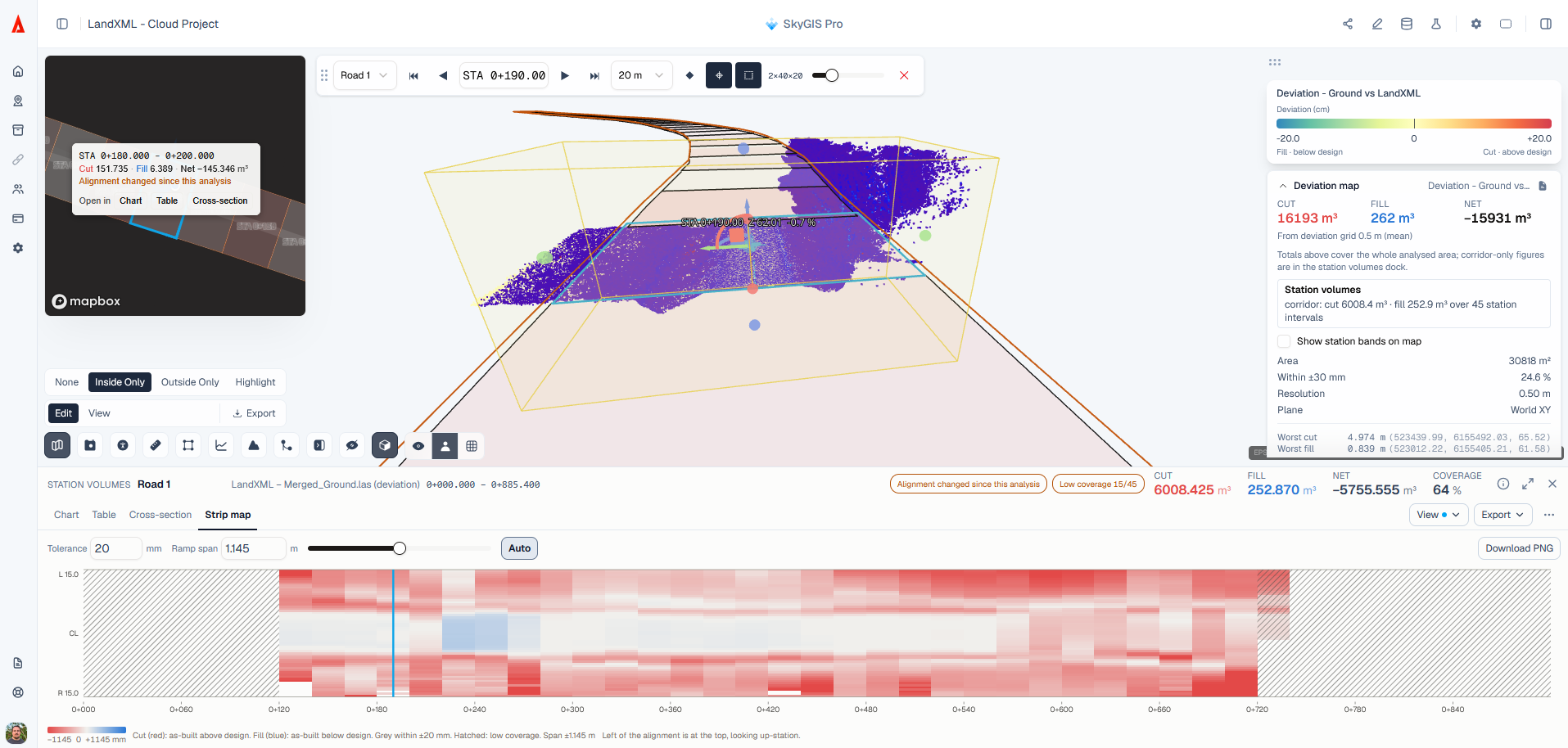
Following the launch of our Road & Railway toolkit in the previous update, we received an incredible amount of valuable feedback from our community. We’ve channeled your input directly into this release to make the experience even better. You’ll find richer detail across charts and reports, greater flexibility in display settings and export formats, and an enhanced map view—all designed to streamline your linear infrastructure workflows.
IPRJ from E57
Both TopoDOT’s IPRJ format and E57 files are widely used for managing panoramic imagery across geospatial workflows. To enhance cross-platform compatibility, SkyGIS Pro now enables users to extract and convert panoramic images embedded in E57 files directly into the TopoDOT IPRJ format. Alongside our standard E57-to-LAZ point cloud conversion—available across all SkyGIS plans—you can now seamlessly decouple imagery from your E57 datasets for downstream use. Stay tuned as we continue to expand our data conversion capabilities.
Improved shareable link experience in Mobile Devices
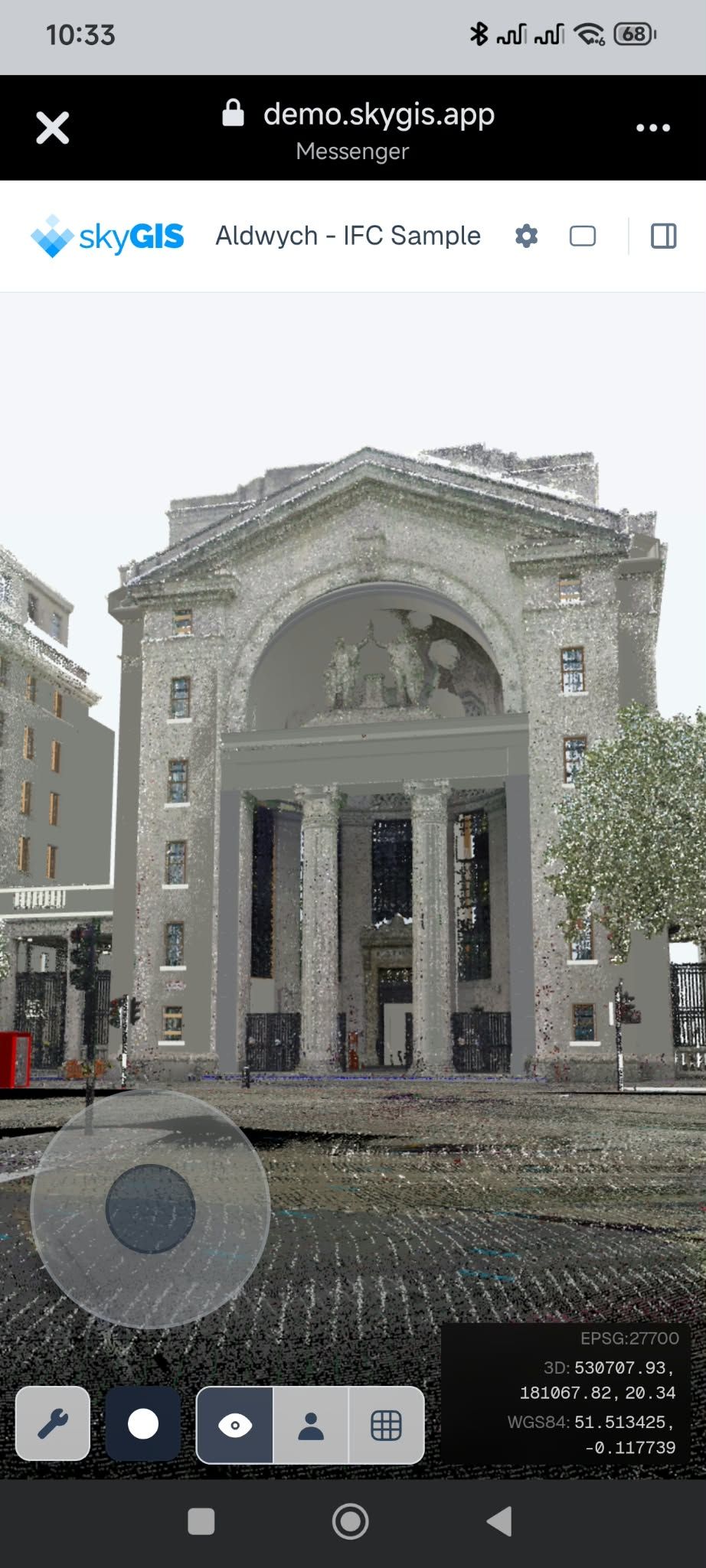
Accessing geospatial data on site often happens on a smartphone rather than a desktop or tablet. To support fast, flexible collaboration, we have optimized the mobile navigation and interface for SkyGIS Shared Links. Shared scenes now adapt seamlessly to standard smartphone screens with refined touch controls and an uncluttered viewport. Simply share a link with colleagues or clients via your preferred messaging app, enabling them to inspect datasets, navigate 3D environments, and perform spatial measurements directly in the field.
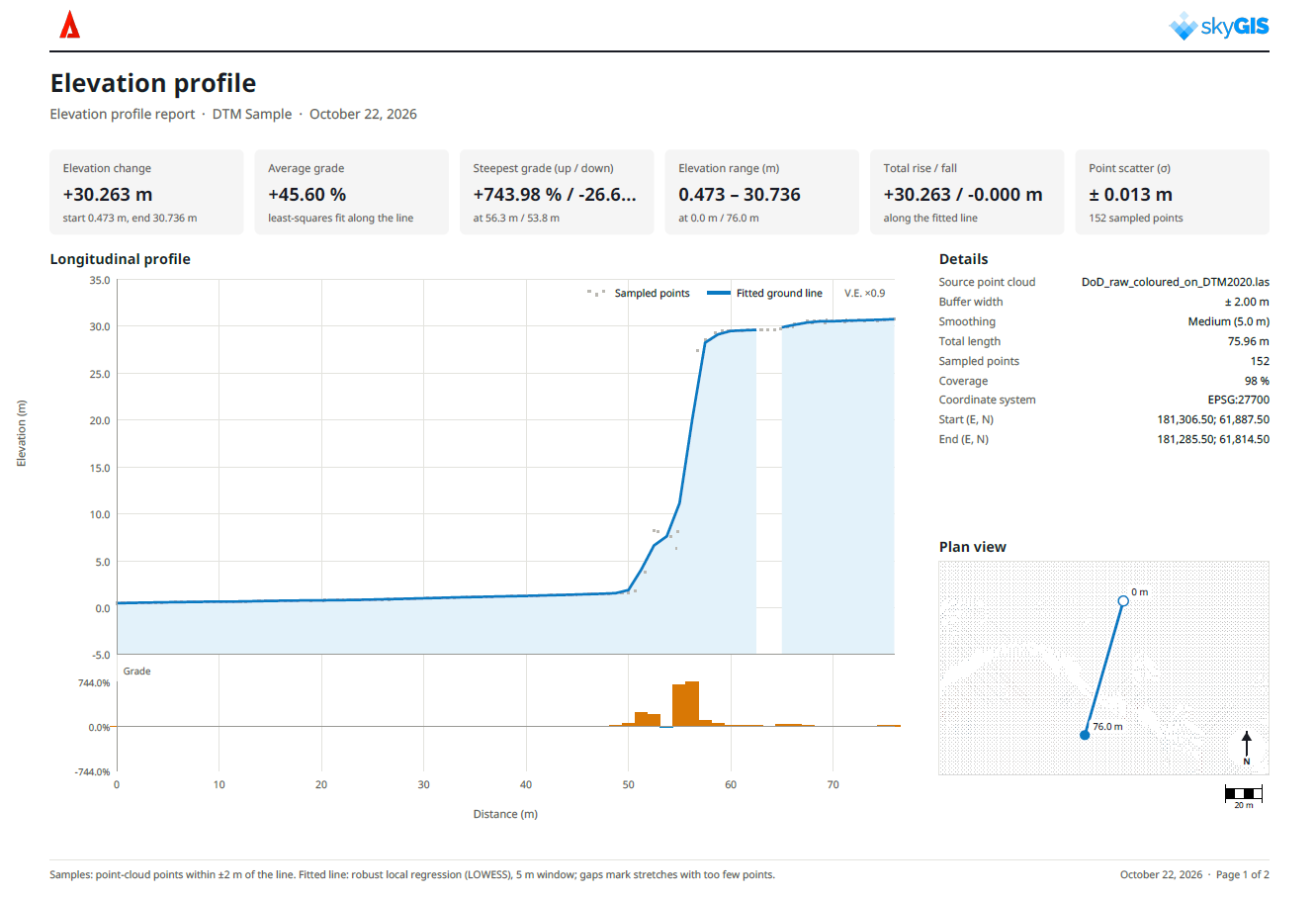
Enhanced Elevation profile and reporting
Our latest update brings significant enhancements to the Elevation Profile tool, now featuring detailed automated reporting—available across all tiers, including SkyGIS Viewer. Users can simply draw a transect across the terrain to instantly evaluate elevation changes along the path. The generated report delivers a comprehensive overview of key profile metrics, while adjustable smoothing controls allow you to filter surface noise and tailor the visual output to your exact requirements.
Enhancements & Fixes
Here is a summary of the other improvements and fixes included in this update:
User Experience & Collaboration
Refined UI and Clip Box controls for Shared Links.
New camera selector icon
Improved folder workflows and context menus for more intuitive data organization.
Added in-app guidance and validation warnings during file upload and processing.
Enhanced Saved Views, now featuring configurable Initial View presets.
Data Support & Interoperability
Added 2D map rendering for LandXML and IFC files.
Expanded orthophoto support to include paired JPG + JGW formats.
Improved 2D layer and annotation handling inside the 3D viewport.
Enhanced CAD styling and vector symbology in 2D map views.
Analysis & Layers
Multi-select support enabled across the Layer Panel for batch actions.
Classification filtering in the Analysis Panel: isolate and run analyses strictly on selected point classes.
General accuracy and performance enhancements for vector extraction tools.
Have feedback or an idea for our next sprint? We would love to hear from you.